
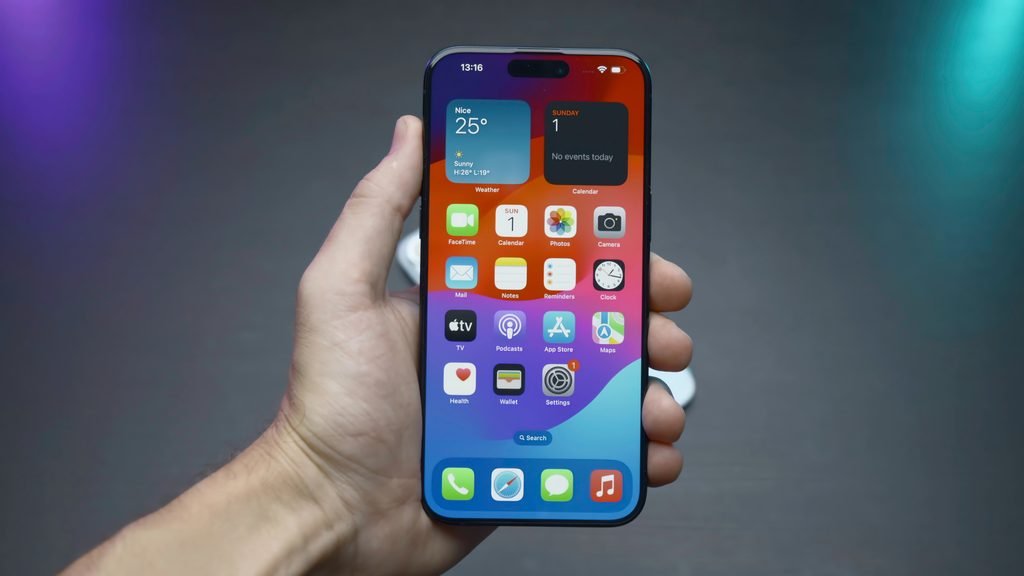
Are phone privacy settings worth changing? For me, it’s a no-brainer.
There are a lot of hackers, viruses and bad actors out there who just want your data. Limiting who gets which of your data is one of the easiest things you can do about it.
Think about what’s on your phone. Our banking information is on there. So is our investment and stock account information. Our health data is on there too. Maps show where we go and when. Food apps know what we buy.
Our whole life can be found on my phone or my wife’s phone. There may also be work emails on there that need to stay private. So we both use longer passcodes. We don’t tell our kids what they are.
Phone Privacy: The Quick Answer
Yes, they’re worth changing. Start with a strong passcode. Then decide on purpose which apps get your location and other data.
If you don’t use your phone for banking, investing or anything that tracks you, the stakes are lower. For most of us, that isn’t the case.
1. Lock Screen and Updates Come First
A six-digit passcode is my minimum. iPhones offer six-digit, custom numeric and custom alphanumeric passcodes. Longer and less predictable is better, as long as you can reliably type it when the phone asks.
The answer is different for my 84-year-old mom. She can’t remember many passwords. So she has an easy four-digit passcode plus Face ID on her iPhone.
That’s a reasonable trade-off for her. A four-digit code still isn’t something a thief can crack in a minute. Apple builds in escalating delays after wrong guesses and lets you set the phone to erase itself after ten failed attempts.
Keep your operating system and apps updated. A perfectly configured phone privacy menu is no substitute for security fixes. Turn on automatic updates and skip apps you don’t need.
2. Review App Permissions, Not Just the Master Switches
On an iPhone, go to Settings → Privacy & Security and review Location Services, Camera, Microphone, Photos and the other categories. On most Android phones, go to Settings → Apps → [App] → Permissions or look for a Permission manager under the privacy settings. Menus vary by manufacturer, so Google’s Android help pages are the safest reference.
For location, choose “While Using” for apps that need it while you’re using them. Choose “Never” for apps with no good reason to know where you are. Approximate location is plenty for many apps.
Do we let some apps track our location? Yes, when it makes sense. Our cars are connected vehicles, so their apps get location access. Some other apps work together and need to share data. Fine. I get that.
The point of phone privacy is to choose on purpose. Don’t blindly turn off location for features you rely on, like family location sharing you set up yourself. Review those one at a time.
Ask the same question about camera and microphone access: does this app need it for something you actually use? If not, turn it off. That’s good hygiene. It isn’t proof the app was secretly listening.
3. Know What iPhone Tracking Controls Really Do
Apple’s App Tracking Transparency requires apps to ask permission before tracking you across other companies’ apps and websites. Find it at Settings → Privacy & Security → Tracking. You can review each app or turn off “Allow Apps to Request to Track” entirely.
That helps. It doesn’t end online profiling, data companies collect from their own services or personalized ads in general. A company can still use what you give its own app in ways its policies and the law allow. Privacy settings have limits.
Phones aren’t the only cameras around either. I wrote about privacy and Meta Ray-Ban camera glasses too.
4. Account Security Is Phone Privacy
Your phone is the key to your email, bank, photos and passwords. Turn on two-factor authentication for important accounts and check how each account can be recovered. Use strong, unique passwords stored in a reputable password manager.
Watch for phishing and fake login pages. No toggle protects someone who types their bank password into a fake website. Avoid installing unknown profiles, sideloaded apps or browser extensions unless you know exactly where they came from.
Check your lock-screen notification previews too. Anyone near your phone can read personal messages without unlocking it if previews show publicly. It’s a simple fix that matters more than most advertising settings.
5. Make Phone Privacy Trade-Offs on Purpose
Turning off all diagnostic data is a fine personal preference, but it’s not a big security upgrade. Your phone’s device name, shown over Bluetooth or Wi-Fi, can reveal more than you’d think, so consider renaming it. Turning off every location service will break useful features.
If you’re dealing with stalking, harassment, domestic abuse or targeted surveillance, a ten-minute checklist isn’t enough. Apple’s Safety Check and other specialized resources can help you review who has access to your accounts and location. Get qualified help when your safety is at stake.
A Realistic Ten-Minute Phone Privacy Routine
- Confirm a strong screen lock and automatic updates.
- Review location, camera and microphone access for recently installed apps.
- Check iPhone tracking permissions or your Android privacy controls.
- Make sure your main email account has two-factor authentication.
- Delete one or two apps you no longer use.
A full digital audit takes longer and is worth doing once in a while. Nobody has to do it before bed tonight.
The Bottom Line
Don’t panic. Don’t skip this either. Limiting who gets your data is one of the smartest and easiest things you can do.
If there’s nothing worthwhile on your phone, the question is different. For most of us, our whole life is on there.
Now go to bed. The flashlight app doesn’t need your camera.
Sources
- Apple Support: control app tracking permissions on iPhone
- Apple Support: passcode options and security
- Google Android Help: change app permissions
- Google Android Help: location permissions
This article is for general informational and entertainment purposes only. It is not legal, medical, financial, tax or other professional advice, and reading it does not create a professional relationship of any kind. Information may be incomplete or may change after publication. Opinions are the author’s own. Consult a qualified professional about your specific situation.